

K12 Executive Digest - September 2026


Jump to: Registrars & School Admin · Guardians · Finance
Attendance is live, and more
Section advisers can mark attendance for an entire section on a given date in one action, correct a wrong entry by clearing it, and generate the attendance report for their advisory section themselves. Admins configure the attendance rules for their school and generate the DepEd SF2 directly from recorded attendance.
We will be hosting a webinar to demonstrate the new Attendance feature and answer any questions you may have on October 27, Tuesday at 2pm. Our Customer Experience Team will be reaching out individually to confirm attendees.
For registrars and school admins
Set attendance rules to match how your school runs.
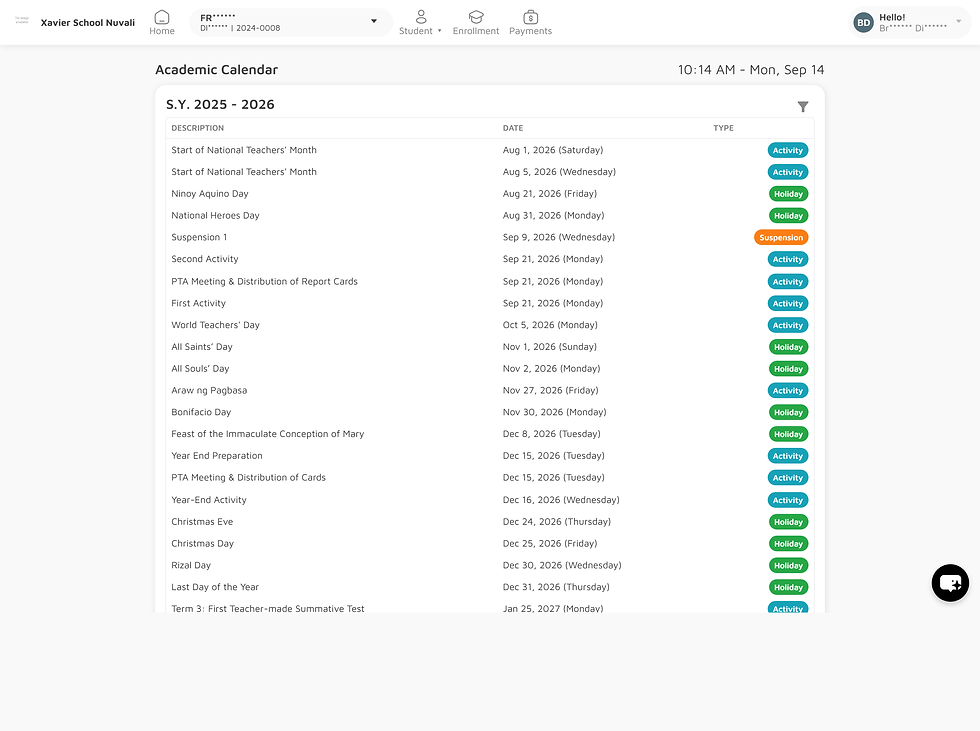
Academic calendar in one place: add, edit, and filter holidays, activities, and suspensions. Class advisers can filter the calendar by grade level and section.


Attendance reports, including DepEd SF2: generate attendance reports for tracking and reporting, and the SF2 from the records advisers have already entered.

Attendance on grades and report cards: an attendance summary now appears on the student's Grades page, and attendance is available as a report card template variable.

For guardians
A updated view of their child's records
Their child's attendance record: guardians can view it directly, along with the Academic Calendar for the current school year.

Averages in the new guardian portal: subject, term, and general averages now show on the Grades page.

Clearance Completion emails: schools can now set up a notification template that tells guardians when clearance is complete.

For finance teams
More detail in SOA templates: discounts can be itemised, and overpayment values can be shown.


Other Fees report history: generation and email delivery are now shown separately, so you can still download a report that was generated even if the email didn’t go through.
Additional features
Manual adjustments stay put: changing a student's payment mode no longer removes manually applied discounts and additional charges.
SOA files you can find by name: generated files now include the student number, student name, school term, and due-date description.
Grade-viewing rules held consistently: viewing restrictions now apply the same way for guardians in the old and new UI paths, and clearance holds are enforced even when a guardian goes to the Grades page directly rather than through the menu.
Fewer configuration errors: school-wide grade controls no longer show terms, no unit uses, and starting the next school year no longer checks grading templates for subjects you don’t offer.
Subject teacher on report cards: report card templates can now display the subject teacher
Events
Recently we attended the UCSRA (University, College, and School Registrars Association) 37th Annual Convention in Subic to connect with schools across the region: See more

We’re always looking for more partners! Catch us at an upcoming event or feel free to refer us to a colleague whose school system could use an upgrade.
For technical documentation, feature inquiries, or to submit a suggestion, please contact the Edusuite Helpdesk.

